
Drag, resize, snap
Drag a bar to move it, drag its edges to resize it; it snaps to the time scale you chose. Create by dragging on an empty slot or with New event.
Drag-and-drop scheduling for any Dataverse table with a start and an end, inside your model-driven app. Free, no account.
 Get it fromMicrosoft Marketplace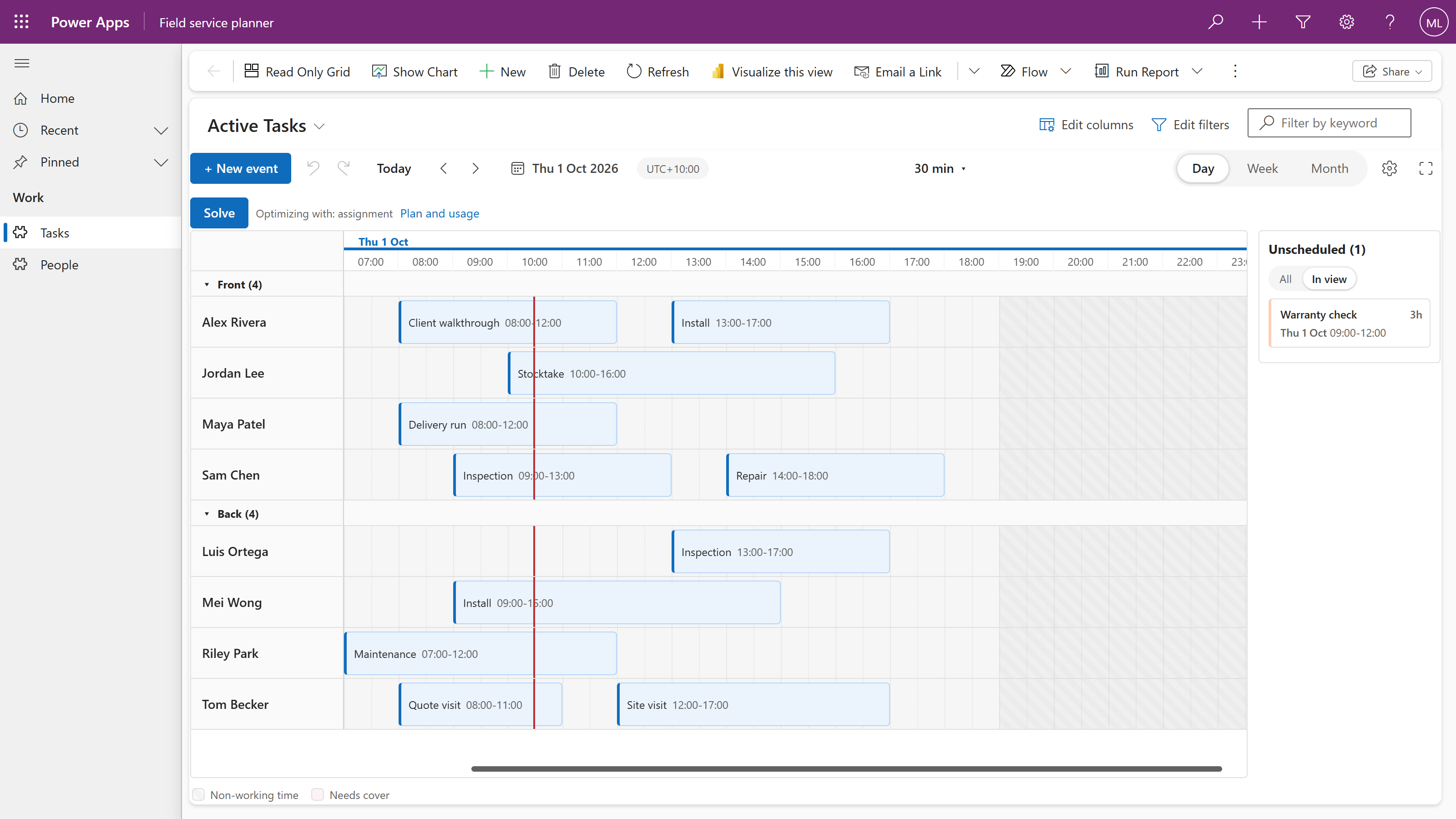
Drag a bar to move it, drag its edges to resize it; it snaps to the time scale you chose. Create by dragging on an empty slot or with New event.
Bind a lookup to the person or asset and the board grows lanes. Open work waits in the panel; drop it on a person to assign it.
Two shifts on one person, a shift outside working hours, a missing skill, booked leave. Each check is off, a warning or a block, your choice.
Select several bars and move them by hours, days or weeks, or reassign them to another person in one go. Copy and paste, undo and redo.
Every drag writes the start, the end and the lookup to your table as it happens, with who made it. Your security roles apply.
2,000 people and 20,000 shifts on one board. Only the rows in view are on the page.
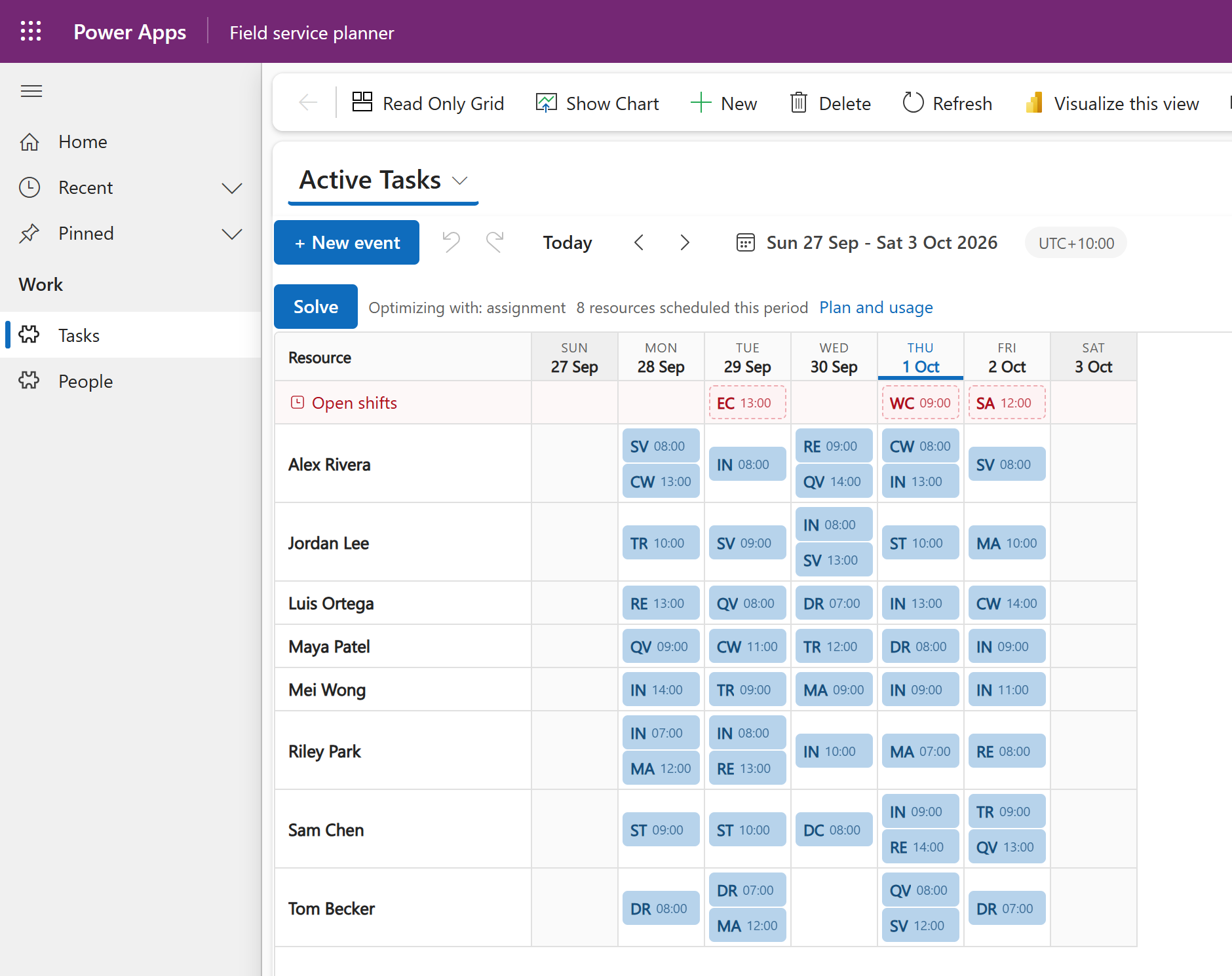
You choose the layout for each view. Here is the same week as a roster grid: one row per person, one column per day, every job a chip.
One managed solution, three bindings, no account.
Download the managed solution and import it under Solutions. No code.
Title, Start and End on a view of your table. A lookup gives you lanes.
Every edit saves to your Dataverse row, under your security roles.
The board follows each person's Power Apps language, so every planner works in their own.
Select a period and Auto Schedule proposes assignments for its open work against your rules. Three completed runs a day are free.
Auto Schedule uses the selected period, its open work, available people and configured rules. It can start when every shift is still unassigned.
Chrona scores candidate plans across the period. Required rules take priority; planning goals help compare the options that remain.
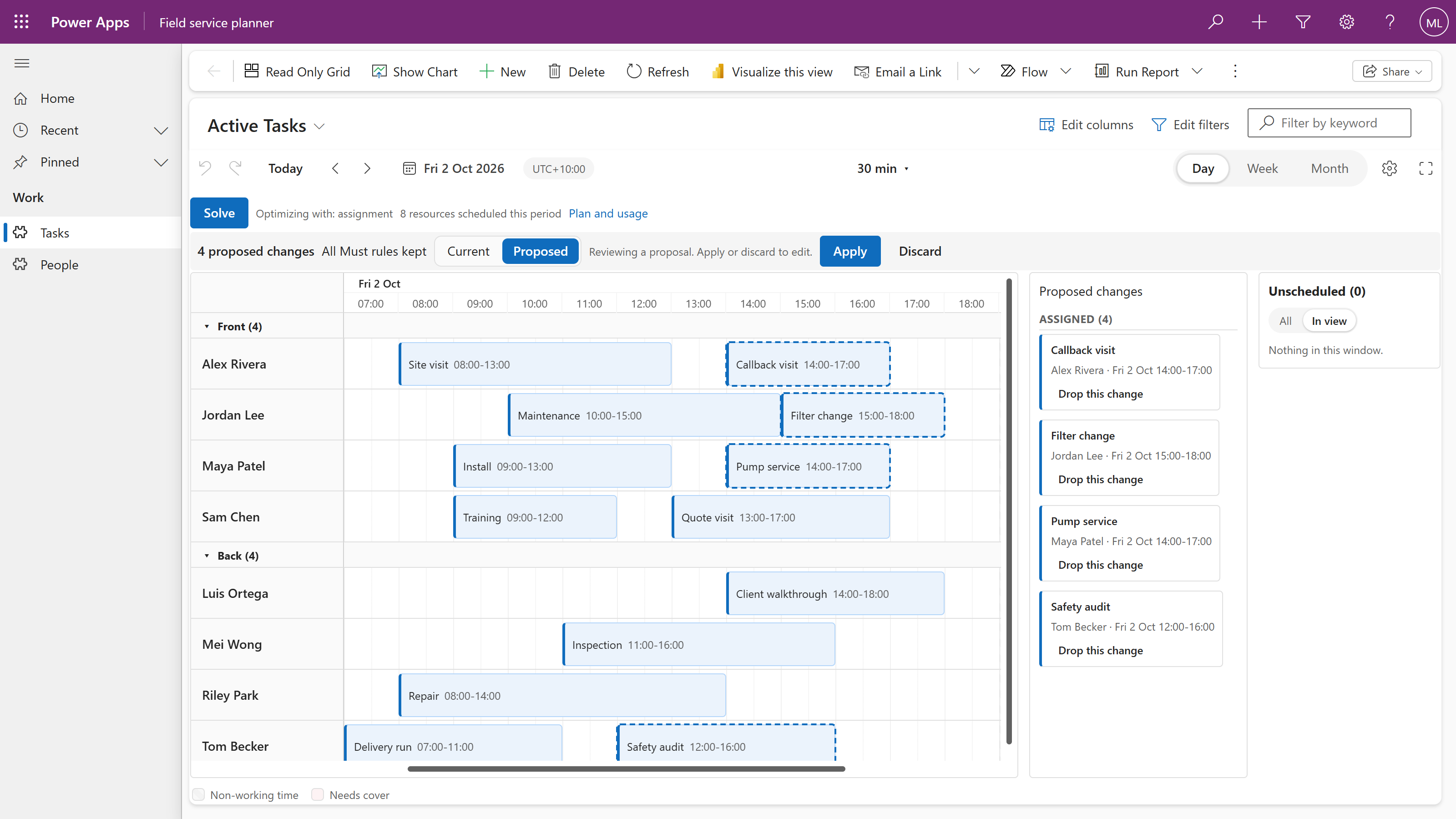
The strongest plan found during the run appears as a proposal on your board. Review each change, then Apply the changes you accept.
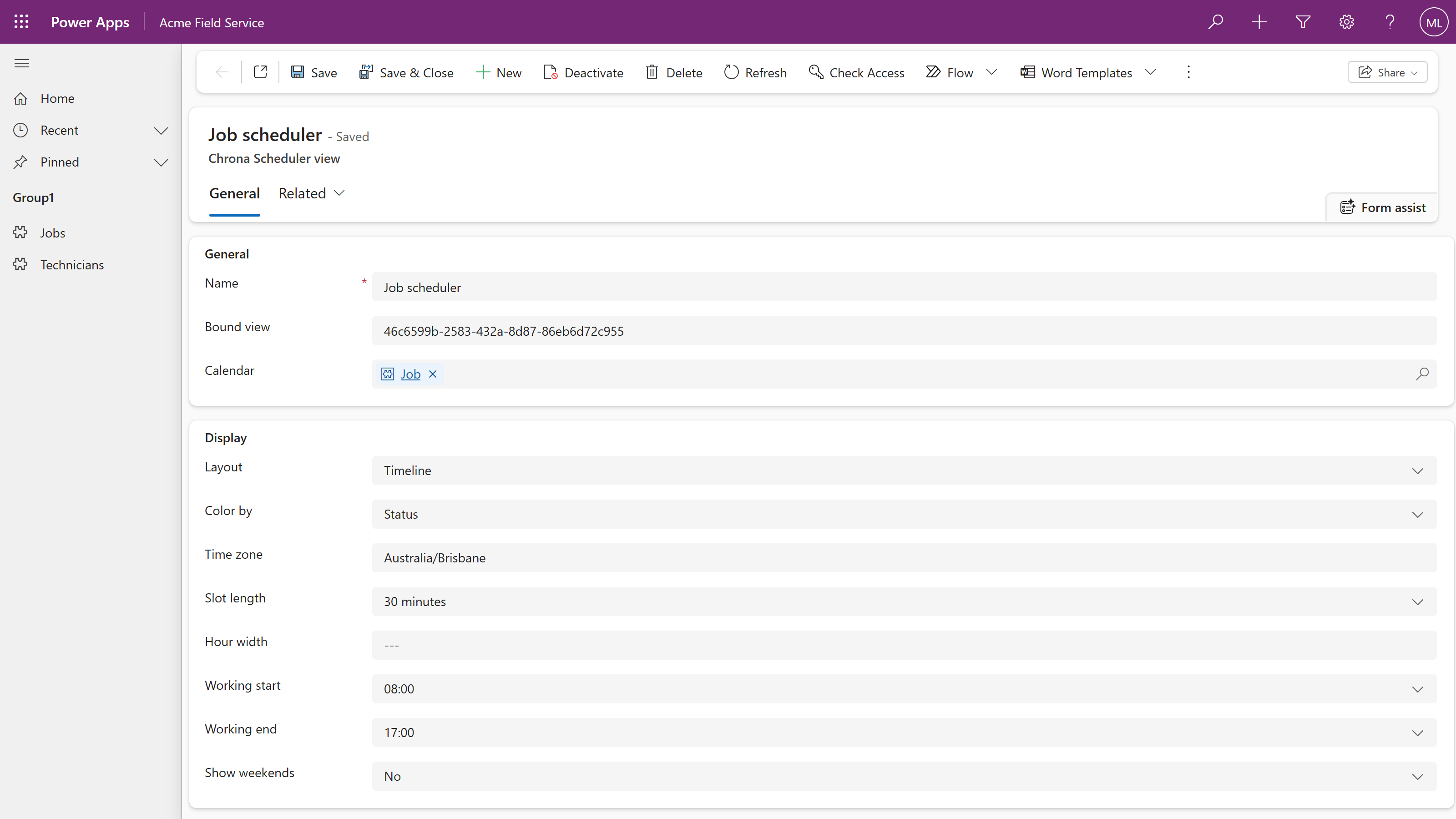
Title, Start and End on a view. A lookup for lanes. Two configuration rows for working hours, time scale, grouping and collision policies.
The three required bindings, on any table that has them. Bind them in the view designer's property pane.
A lookup to the person or asset a row belongs to. With it the board grows lanes, the unscheduled panel and collision detection.
Working hours, weekends, the time scale and the time zone, in a Chrona Scheduler Calendar row for your table. Connect creates it.
Grouping, capacity and the collision policies, in a Chrona Scheduler View row for the view. Edit it in the maker portal under Tables.
The start, the end and the lookup, written to your row at once. Undo and Redo write back the same way.
Skills and roles, availability, demand, shift templates and roster periods arrive with Chrona Workforce Scheduler, around the same board.
Nothing is copied and nothing moves. The scheduler is a component on your view, and every setting lives in a row you can open in the maker portal.
Choose columns from the view you want to schedule.
| Scheduler field | Your column |
|---|---|
| Title | Text |
| Start | Date and time |
| End | Date and time |
| Resource | Person or asset lookup optional, for lanes |
Real Chrona Scheduler captures from a model-driven app, shown with sample data.
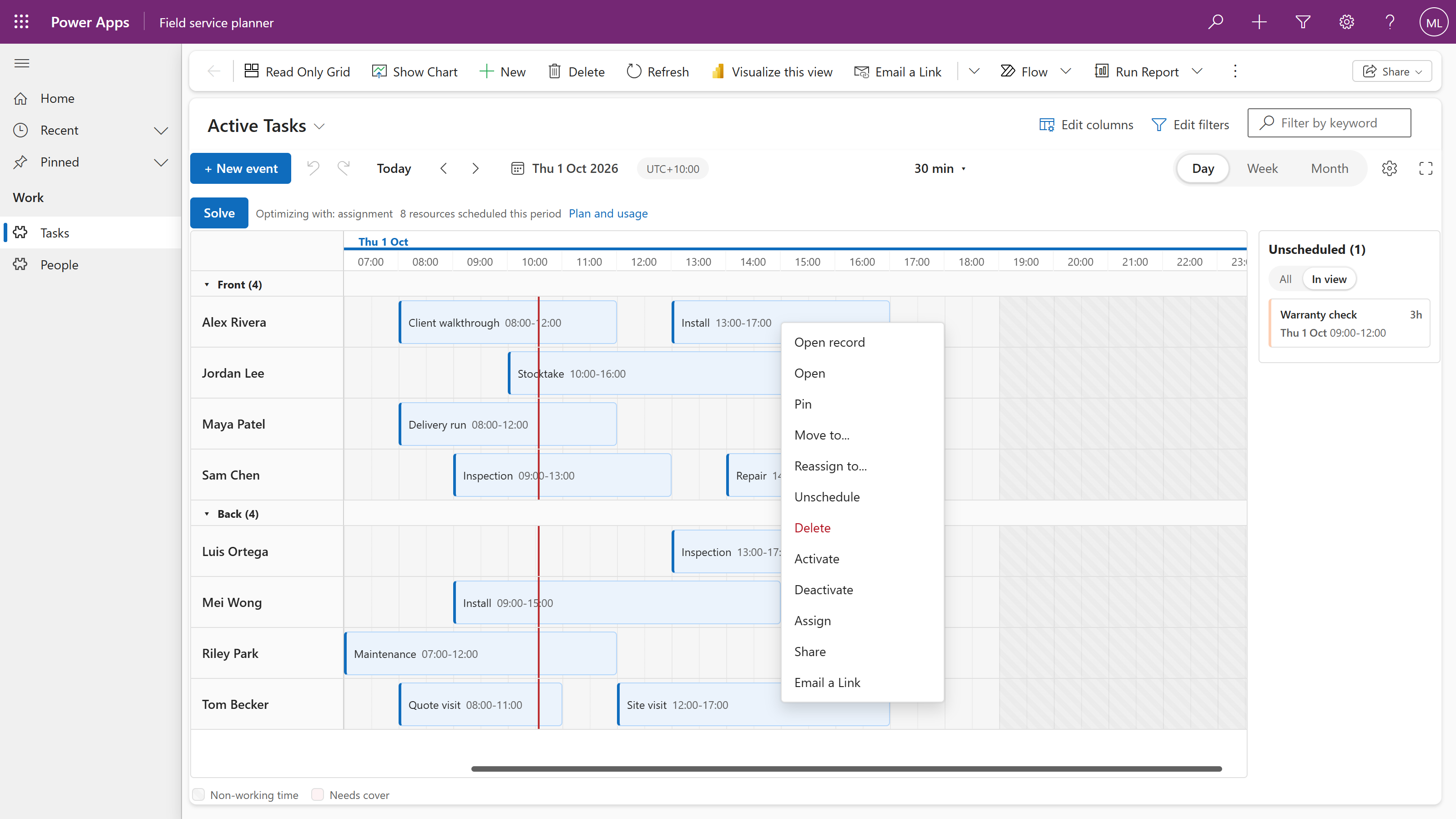
Drag a bar to move it, drag its edges to resize it. Open work waits in the unscheduled panel on the right; drop it on a person to assign it.
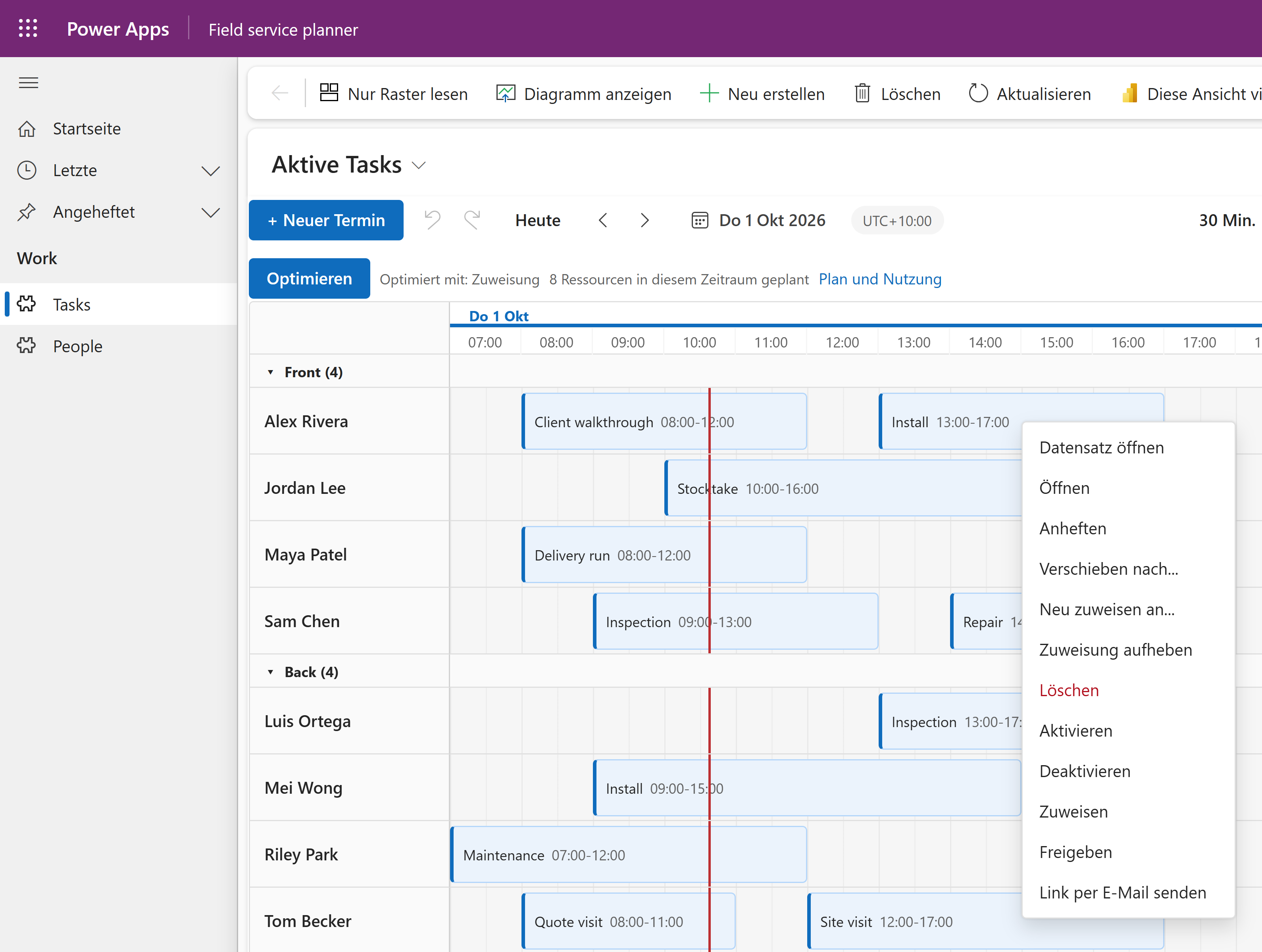
English, German, French, Spanish, Portuguese, Brazilian Portuguese, Dutch and Italian. The board follows each person’s Power Apps language. Here it is in German.
Open record, Chrona’s own actions and the commands your app already has, on the same menu. The scheduler is a component on your view, not a second application.
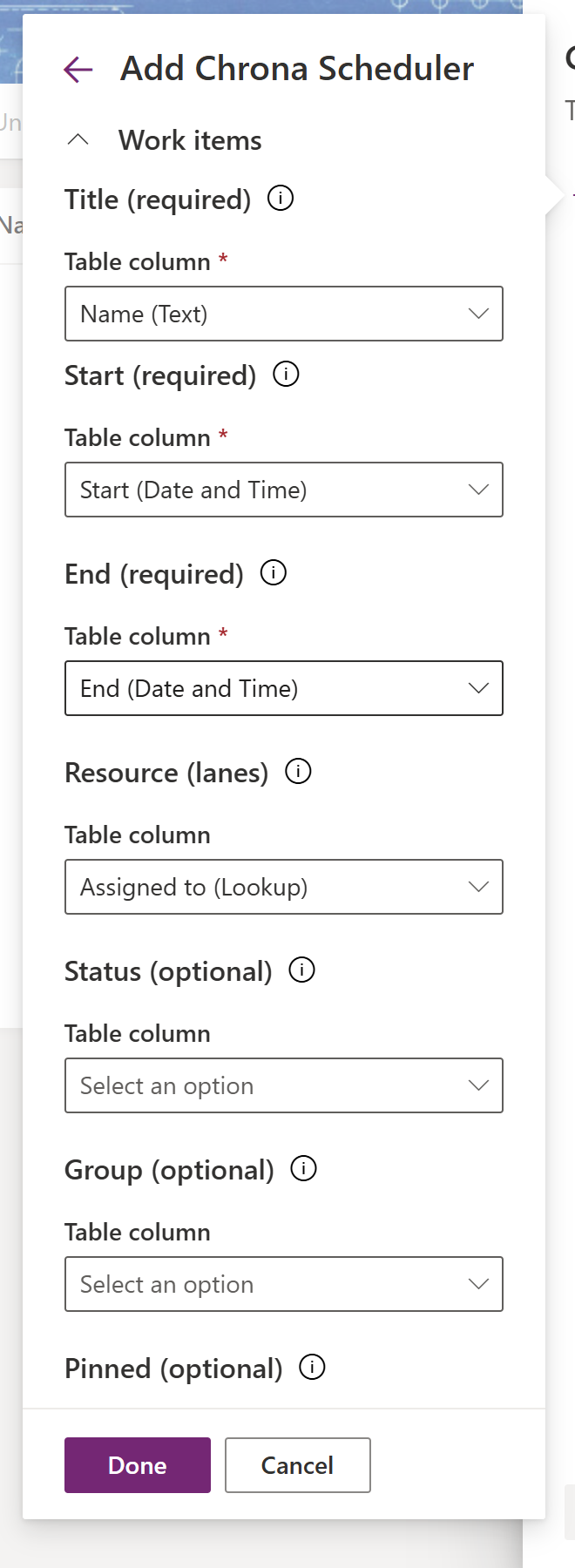
Title, Start and End are required. Resource, a lookup to the person or asset, gives you lanes. Everything else is optional and explained in the bindings page.
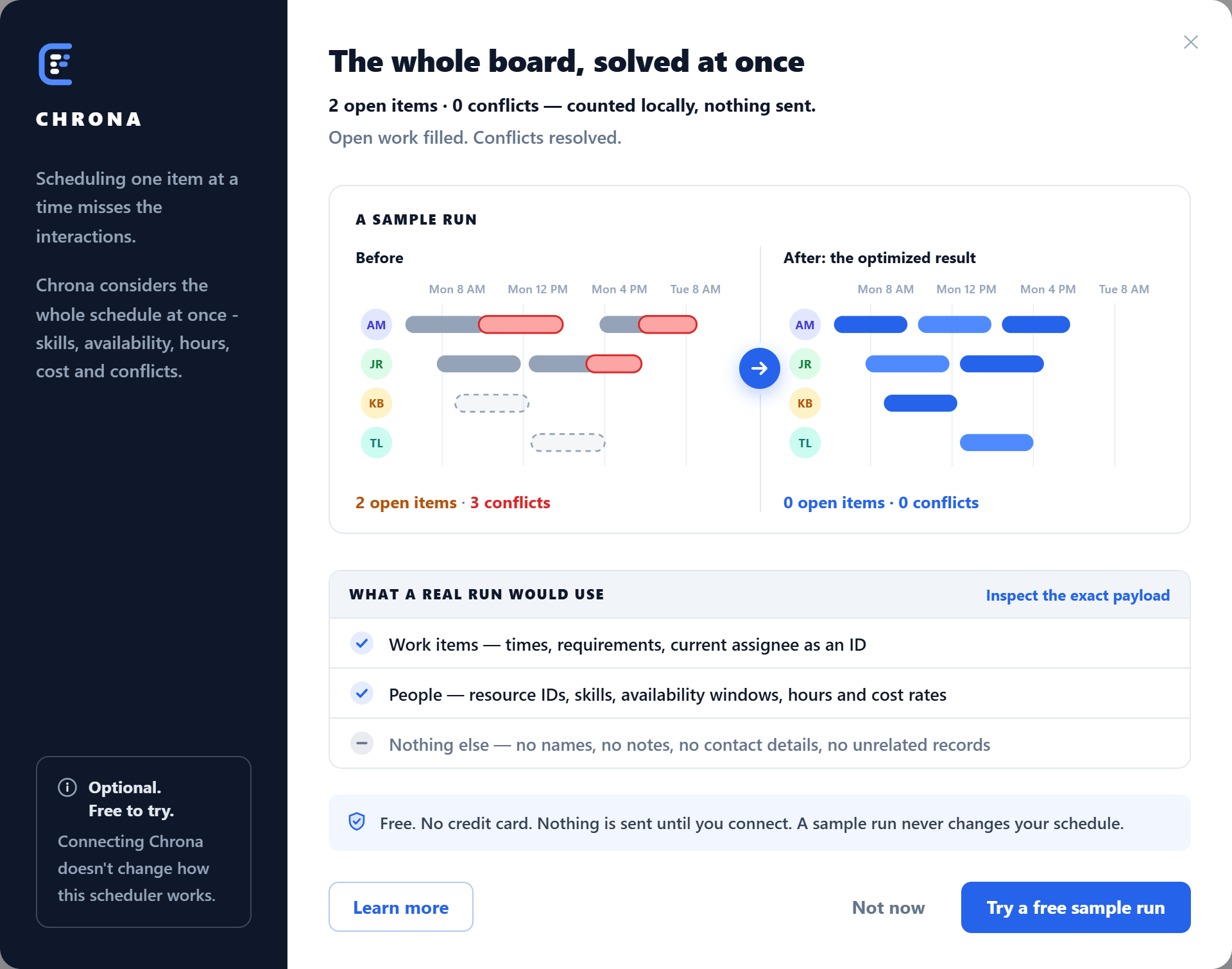
The Optimize dialog runs a sample before and after, and lists exactly what a real run would send. Try a free sample run connects your environment; there is no sign-up form.
Proposed placements carry a dashed ring, a moved shift leaves a ghost at its old place, and the list names every change. Drop the ones you disagree with, then Apply. Nothing is written before that.
Drag-and-drop scheduling on any table with a title, a start and an end, inside your model-driven app.
Chrona Workforce Scheduler adds the rostering model on the same board, with unlimited Auto Schedule runs within fair use.
The questions builders ask first.
The scheduler, for good, with no account. Auto Schedule includes three completed runs a day per connected environment. Chrona Workforce Scheduler is the paid solution.
About ten minutes: import one managed solution, bind three columns on a view, open the view. No code.
Eight: English, German, French, Spanish, Portuguese, Brazilian Portuguese, Dutch and Italian. Each person sees the board in their Power Apps language.
Yes. Select a period with open work. Auto Schedule can propose assignments even when no shifts have been assigned yet.
No. A run returns a proposal. You review the changes on the board and choose Apply before accepted changes are written.
Yes. The scheduler is complete on its own. Select Optimize when you want Auto Schedule to propose a plan.
Start with the free scheduler. Run Auto Schedule when the work demands more.